|
|
 04-06-2011, 11:29 AM 04-06-2011, 11:29 AM
|
#1 |
|
Premium Member
Join Date: Feb 2007
Location: Melbourne, Australia
Posts: 783
|
 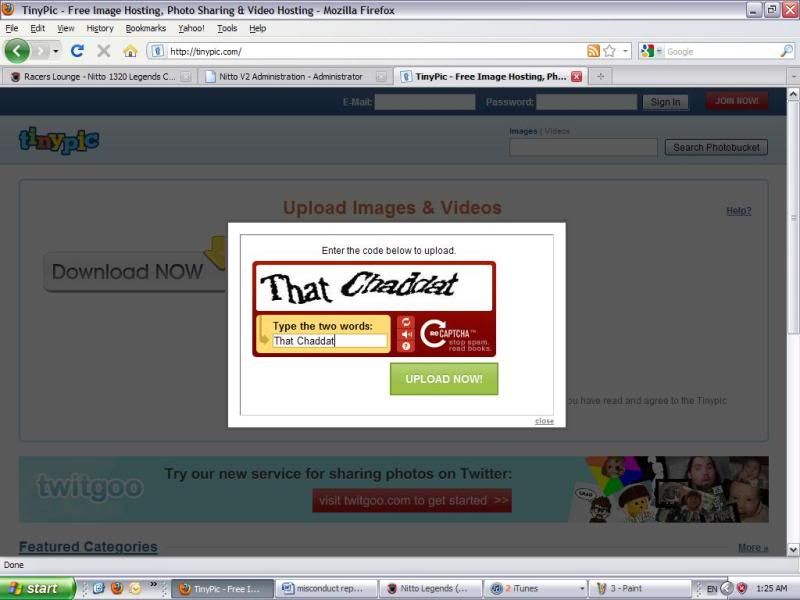 Once, uploaded you will see the following screen, you need to highlight and copy the ‘Direct link for layouts’ and then paste this into your misconduct report. 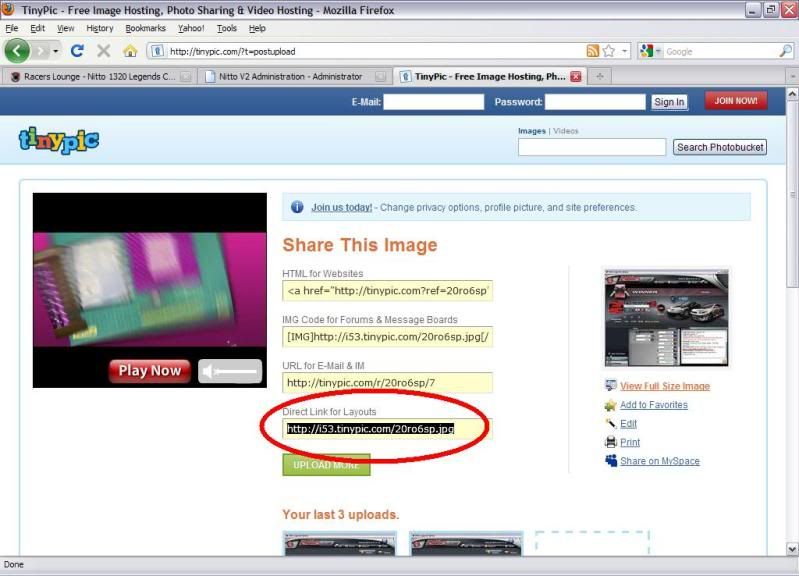 Imageshack Imageshack is another great place to upload pictures as you do not have to have an account to upload pictures and you can upload multiple pictures simultaneously, however without an account it will not allow you to get a ‘direct link’ to your uploaded image, but there is a way around that. Once you are on the home screen, click ‘browse’ and locate your saved image; 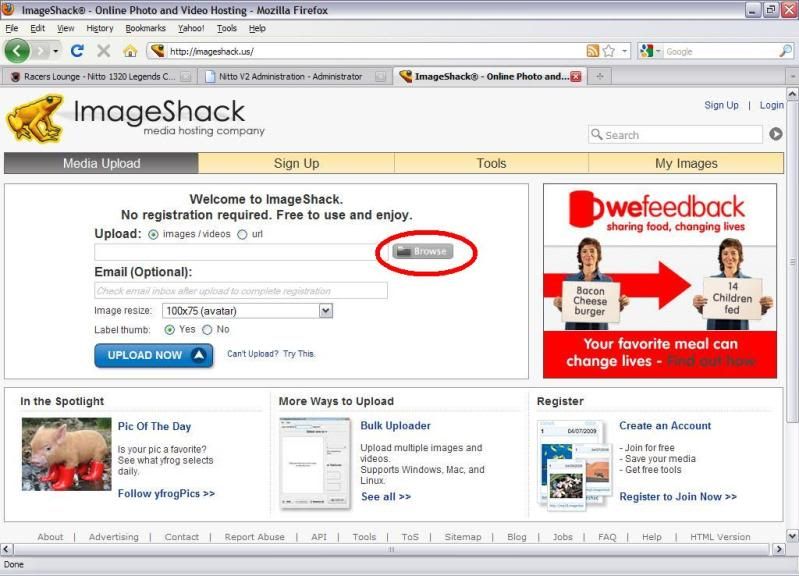 Once again, either double click on your saved picture or click on it once and then click ‘open’. If you wish to upload multiple pictures, simply hold ‘Ctrl’ and click on each of the pictures that you want to upload prior to clicking ‘open’. 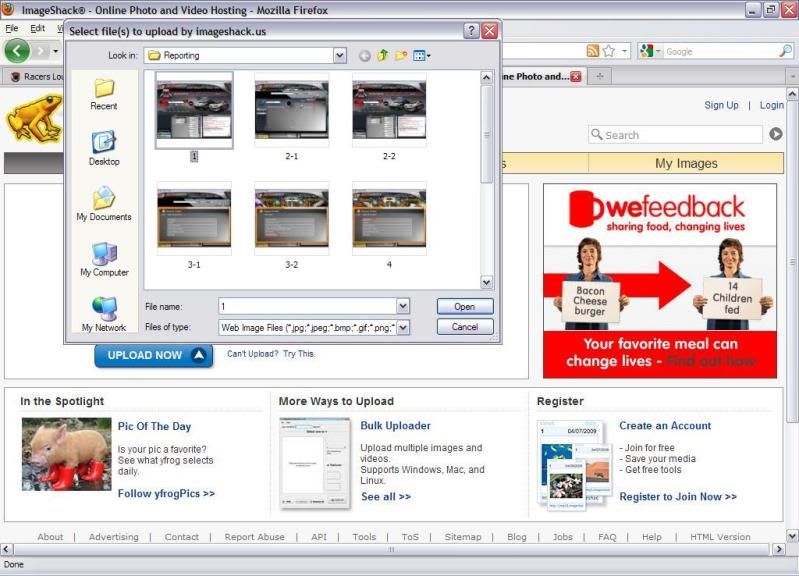 Once you have done this, simply click ‘upload now’ 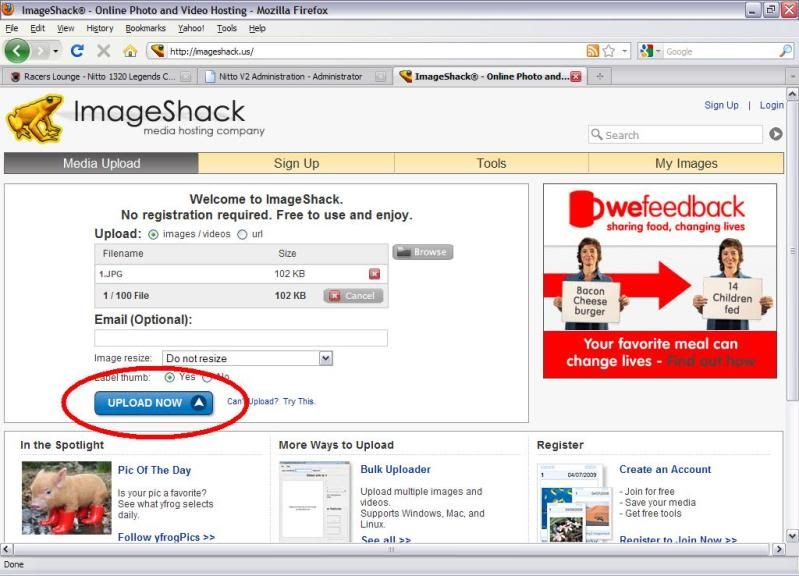 Once the upload is complete, you will see the following screen. As you can see it will not allow you to copy the ‘direct link’ without signing up. 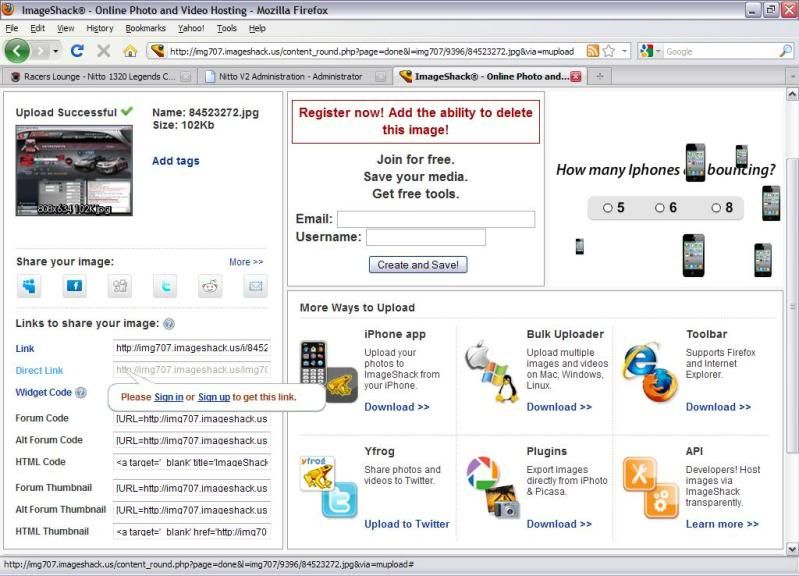 No matter. Just copy the ‘Link’ (the first hyperlink in the list) and paste that into your directory. This will bring you to the following screen:  In order to obtain a direct link, simply right click on the image and select ‘Copy image location’. You now have the direct link to your image copied and ready to paste into your misconduct report. http://img707.imageshack.us/img707/9396/84523272.jpg 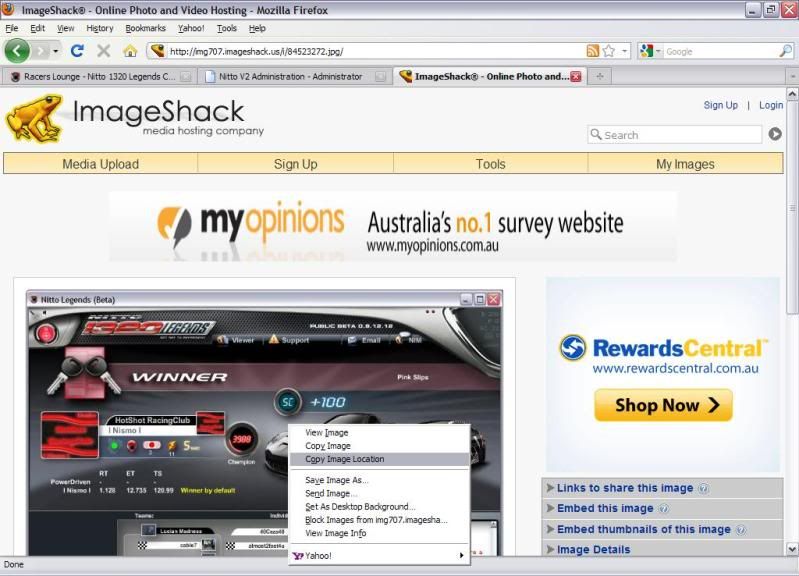 Hope this can provide some help, as always any constructive criticism is appreciated. Kind regards Gemini |
 |

|
| Thread Tools | |
| Display Modes | |
|
|


 Hybrid Mode

