 01-31-2012, 01:59 PM 01-31-2012, 01:59 PM
|
#1 | ||
|
Basic Member
Join Date: Jul 2010
Posts: 5,597
|
 Tips on Making Nitto custom graphics Tips on Making Nitto custom graphics
Hello Nitto community, I'am going to tell you a couple tips that might help you on making custom Graphics.
You could use gimp or Photoshop docent matter tools should be the same or similar, I am using corel paint shop pro x2. So here we go Tip #1. When making Graphics, for a car. Lets say a R34. Go on the free graphics section and find a set of graphics that have already been made for the R34. Then go on Nitto and put them on the car, and take a screen shot and open it in Photoshop. The same graphic from the Free graphics section you will use it as a template, For making your own graphics, And the SS, You will use as Guide also. They would help you look at Were things belong, So you wont have to keep going on Nitto and check how things are, Just crate a new layer on top of the template were you can put your work, Example 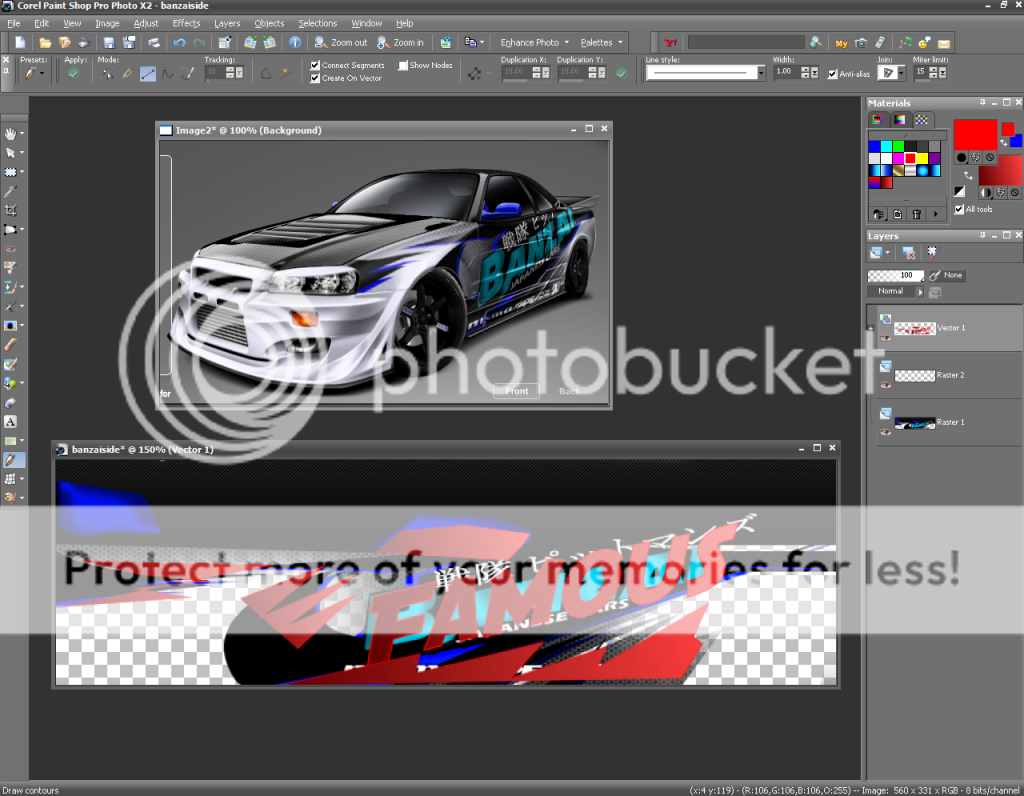 Tip #2. Some times When you put graphics on a car, And you switch to the back view the graphics will move forward. Why does that happen? That happens because the template your are using is to long, So what you need to do to fix it Is use the crop tool and crop it a little to make it shorter. Tip #3 So you made some raw as graphics and you wanna Put them for sale on the forums? Don't Just take SS of the car and put it on the forum. That is boring, Do something to them that will make them sale! Def Jam is a great example Look what he does
Quote:
Quote:
If you got any Tips on Nitto custom graphics, Please Post them here. If you have any questions on Nitto custom graphics ask Here! Me or other graphic designers could help you!!! Last edited by famousgilbert2 : 04-23-2013 at 07:44 AM. |
||
 |

|
| Thread Tools | |
| Display Modes | |
|
|


 Threaded Mode
